






.png)
%20(1).png)





















.svg)


So, you're looking to get a handle on ISO 27001 privileged access management. It sounds complicated, right? But really, it's all about making sure the right people have the right access to the right systems, and only when they need it. Think of it like having a master key – you wouldn't just hand it out to anyone, would you? This guide is here to break down how ISO 27001 helps you manage those powerful access rights, keeping your company's information safe and sound. We'll cover what it means, how to set it up, and what's new in the latest standards.
Key Takeaways
| Item | What it requires |
|---|---|
| Item 1 | Managing privileged access is key to stopping security problems in ISO 27001. It means controlling who can do what on your systems. |
| Item 2 | Always give people the least amount of access they need to do their job, and not a bit more. This is called the principle of least privilege. |
| Item 3 | Using things like role-based access control (RBAC) and attribute-based access control (ABAC) helps organize who gets access based on their job or other factors. |
| Item 4 | Make sure privileged access is protected with extra security steps like multi-factor authentication (MFA) and keep detailed logs of who did what and when. |
| Item 5 | The latest ISO 27001 standards have updated guidance, including a 'break glass' procedure for emergencies and the idea of using separate user accounts for privileged tasks. |
{{snapshot}}
Key points for this control
- Managing privileged access is key to stopping security problems in ISO 27001. It means controlling who can do what on your systems.
- Always give people the least amount of access they need to do their job, and not a bit more. This is called the principle of least privilege.
- Using things like role-based access control (RBAC) and attribute-based access control (ABAC) helps organize who gets access based on their job or other factors.
- Make sure privileged access is protected with extra security steps like multi-factor authentication (MFA) and keep detailed logs of who did what and when.
- The latest ISO 27001 standards have updated guidance, including a 'break glass' procedure for emergencies and the idea of using separate user accounts for privileged tasks.
{{/snapshot}}
{{snapshot}}
In Hicomply's experience
In Hicomply's experience, mastering iso 27001 privileged access management: a comprehensive guide works best when it is treated as part of a continuous, whole-business ISMS rather than a one-off audit task. Keep ownership clear, collect evidence as work happens, and use automation instead of spreadsheets so the same control evidence can support ISO 27001 and related frameworks. See how that works in a platform tour.
{{/snapshot}}
Understanding ISO 27001 Privileged Access Management
Alright, let's talk about privileged access in the context of ISO 27001. Think of it like having a master key to your company's digital kingdom. These aren't your everyday login details; they're the keys that unlock powerful systems, sensitive data, and critical infrastructure. The whole point of managing these special access rights is to keep things secure and prevent unauthorized use, which, let's be honest, can cause some serious headaches if it goes wrong.
The Purpose of Privileged Access Rights in ISO 27001
So, why do we even need these 'super user' accounts? Basically, certain roles within an organization require elevated permissions to do their jobs. System administrators, for instance, need to install software, manage servers, and fix problems. Without privileged access, they'd be severely limited. ISO 27001 recognizes this need but also highlights the risks. The misuse or accidental compromise of these powerful accounts is a major security concern, often leading to data breaches or system downtime. Therefore, the standard pushes for a structured approach to granting and overseeing these rights.
Ownership and Responsibility for Privileged Access
Who's in charge of all this? It's not a free-for-all. Typically, the responsibility for managing privileged access falls to senior IT leadership, like the Head of Information Technology or a similar role. They need to make sure that policies are in place and followed. It's about having a clear chain of command so that everyone knows who is accountable for who gets these powerful keys and how they're being used. This ownership is key to maintaining control.
Key Guidance Points for Privileged Access Management
ISO 27001 provides some solid advice on how to handle privileged access. It's not just about saying 'yes' or 'no' to access; it's about doing it smartly.
- Grant access only when needed: Don't give out master keys permanently. Access should be granted on an 'event-by-event' basis, meaning users get it only for the specific task they need to perform and for the shortest time possible.
- Keep detailed records: You need to know who got access, when, and why. This means maintaining clear authorization records for every privileged access request.
- Regularly check who has access: Just like you'd check who has keys to your house, you need to periodically audit who has privileged access rights. This is especially important after changes in roles or responsibilities.
Managing privileged access isn't just a technical task; it's a process that requires clear policies, defined responsibilities, and ongoing vigilance. It's about balancing the need for operational efficiency with the absolute necessity of security.
Implementing Privileged Access Controls

Alright, so you've got privileged access, and you know it's a big deal. Now, how do we actually put controls in place to manage it? It's not just about saying 'yes' or 'no' to access; it's about being smart and deliberate. The goal here is to make sure only the right people have the right access, for the right reasons, and for the shortest time possible.
Applying the Principle of Least Privilege
This is probably the most important idea when it comes to access control. Think of it like giving someone a key. You wouldn't give them a master key to the whole building if they just needed to get into one office, right? Least privilege means giving users only the permissions they absolutely need to do their job, and nothing more. If someone only needs to read a file, don't give them the ability to delete it. This cuts down on accidental mistakes and makes it harder for bad actors if an account gets compromised.
- Identify Minimum Necessary Permissions: For every role or task, figure out the smallest set of rights needed.
- Remove Default Admin Rights: Systems often come with default administrator accounts. These need to be secured or disabled.
- Regularly Review: People's jobs change, so their access needs to change too. Don't just set it and forget it.
Leveraging Role-Based Access Control (RBAC)
RBAC is a popular way to manage access, and for good reason. Instead of assigning permissions to individual users, you group users into roles based on their job functions. Then, you assign permissions to those roles. So, if you have a 'Database Administrator' role, all users assigned to that role get the same set of database permissions. This makes managing access much simpler, especially in larger organizations. When someone joins, changes jobs, or leaves, you just adjust their role assignments, not a bunch of individual permissions.
Implementing Attribute-Based Access Control (ABAC)
ABAC takes things a step further than RBAC. It's more dynamic and granular. Instead of just roles, ABAC considers attributes like user identity, the resource being accessed, the environment (like time of day or location), and the action being performed. So, access might be granted if a user is in a specific department (user attribute), trying to access a sensitive document (resource attribute), during business hours (environment attribute), and only if they are trying to view it (action attribute). This can be really powerful for fine-tuning access, but it can also be more complex to set up and manage.
ABAC offers a more flexible and context-aware approach to access control, allowing for policies that adapt to changing conditions and user characteristics. It's like having a smart gatekeeper who checks multiple things before letting anyone through, not just their ID badge.
Securing Privileged Access with ISO 27001
Alright, let's talk about keeping those super-user accounts locked down tight. When we're talking about ISO 27001, securing privileged access isn't just a suggestion; it's a pretty big deal. Think of it like having the master keys to your entire digital kingdom. You wouldn't just hand those out to anyone, right? That's where controls like multi-factor authentication, detailed logging, and re-authentication come into play.
The Role of Multi-Factor Authentication (MFA)
So, MFA. It's that extra step, like needing a fingerprint and a password. For privileged accounts, this is non-negotiable. It adds a significant layer of security because even if someone gets their hands on a password, they still need that second factor – maybe a code from their phone or a physical token – to actually get in. It really cuts down on unauthorized access significantly.
Maintaining Detailed Privileged Access Logs
Keeping a close eye on who's doing what with privileged accounts is super important. This means logging everything. Every login, every command run, every change made. Why? Because if something goes wrong, or if there's a security incident, these logs are your best friend. They help you figure out what happened, when it happened, and who was involved. It's like having a security camera for your entire system.
Here's a quick look at what should be logged:
- Login attempts (successful and failed)
- Commands executed with elevated privileges
- Configuration changes made
- Access to sensitive data
- Logouts
Re-authentication Before Privileged Access
This one's a bit like MFA but specifically for when you're about to do something really important with your privileged access. Imagine you're already logged in as an administrator, but then you need to perform a critical task, like modifying a core system setting. The system might ask you to re-enter your password or use MFA again, just to be absolutely sure it's still you and that you really mean to do that. It's a simple step that prevents accidental changes or someone else taking over your active session.
Sometimes, the simplest security measures are the most effective. Just because someone is already logged in doesn't mean they should have unfettered access to every single action. A quick re-authentication step can stop a lot of potential problems before they even start.
Managing Privileged Access Rights Effectively
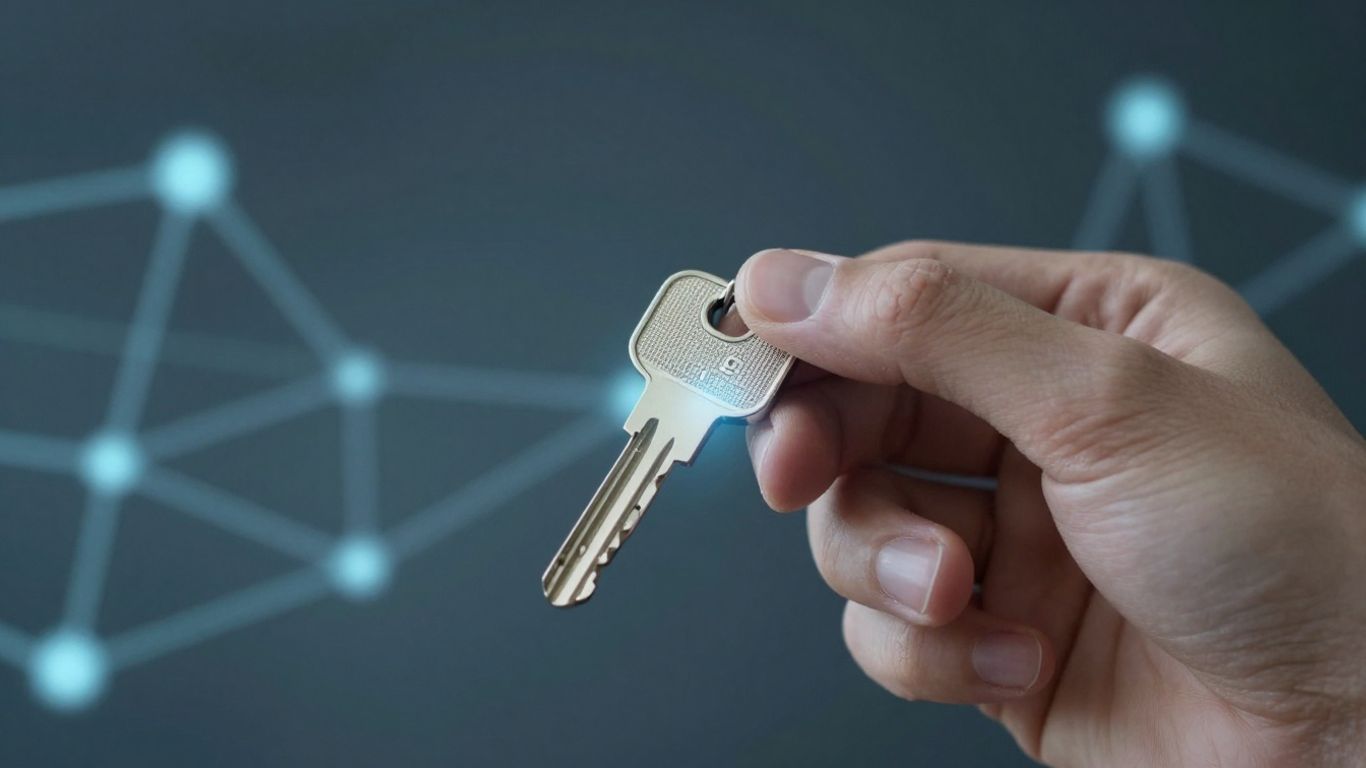
So, you've got privileged access set up, which is great. But how do you actually keep it under control? It's not just about giving out the keys; it's about making sure only the right people have them, for the right reasons, and that you know exactly what's happening.
Assigning Access on an Event-by-Event Basis
Think about it like this: you wouldn't give a contractor a master key to your entire house just so they can fix one leaky faucet, right? The same idea applies here. Privileged access shouldn't be a permanent badge of honor. Instead, it should be granted only when a specific task absolutely requires it. This means if someone needs to perform a system update, they get the necessary permissions for that task, and once it's done, those permissions go away. It's about being super specific with who gets what, and when.
Establishing Authorization Processes
This is where things get a bit more formal. You need a clear, documented way for people to request privileged access. This isn't just a quick email to your IT buddy. It should involve a formal request, a review by someone who knows what they're doing, and then an approval. This process acts as a gatekeeper, making sure that every grant of privileged access is intentional and justified. It also creates a paper trail, which is super handy if something goes sideways.
Periodic Auditing of Privileged Access
Even with good processes, things can slip. People change roles, projects end, and sometimes access that was once necessary just isn't anymore. That's why regular checks are a must. You need to look at who has privileged access, why they have it, and if they still need it. This isn't a 'set it and forget it' kind of deal. Think of it like checking your smoke detector batteries – you do it regularly to make sure it's still working properly. Audits help catch those little oversights before they become big problems.
Keeping privileged access in check isn't just about preventing bad actors from getting in; it's also about stopping accidental misuse by well-meaning employees. A well-defined process and regular checks help maintain that balance.
Here's a quick rundown of what to look for during audits:
- User Roles vs. Granted Access: Does the access granted still match the user's current job responsibilities?
- Access Duration: Were permissions granted for a specific task, and have they expired as expected?
- Unusual Activity: Are there any patterns of access that seem out of the ordinary or potentially risky?
- Justification Review: Is the original reason for granting access still valid?
Evolving Privileged Access Management
Changes from ISO 27001:2013 to ISO 27001:2022
The world of cybersecurity isn't static, and neither are the standards that guide it. ISO 27001 has seen updates, and the 2022 version brings some shifts that affect how we think about privileged access. While the core ideas of protecting sensitive information remain, the newer standard emphasizes a more integrated approach. It's less about just ticking boxes and more about how controls work together. For privileged access, this means a stronger focus on how these powerful accounts fit into the broader picture of information security management. Think of it as moving from a checklist to a more dynamic, interconnected system.
The 'Break Glass' Procedure for Critical Tasks
Sometimes, you just need to get things done, even if it means temporarily stepping outside normal security protocols. That's where the 'break glass' procedure comes in. It's a pre-defined, highly controlled way to grant emergency access to systems or data when something critical goes wrong and standard procedures won't cut it. This isn't a free-for-all; it's a last resort.
- Define what constitutes a 'break glass' event: What specific situations warrant this extreme measure?
- Establish strict authorization: Who can approve a 'break glass' request, and under what conditions?
- Implement robust logging: Every action taken during a 'break glass' event must be meticulously recorded.
- Mandate immediate post-event review: Once the emergency is over, a thorough audit is required.
This procedure is designed for rare, high-impact situations. It requires careful planning and strict oversight to prevent abuse and ensure accountability.
Separating User Identities for Privileged Access
One of the trickiest parts of managing privileged access is when one person uses the same account for everyday tasks and for their administrative duties. This blurs the lines and makes it hard to track who did what. The solution? Separate user identities. This means having distinct accounts for regular user activities and for performing privileged operations.
- Reduces risk: If a regular user account is compromised, the attacker doesn't automatically gain privileged access.
- Improves accountability: It's clear which account was used for specific actions, making audits simpler and more accurate.
- Simplifies policy enforcement: You can apply different security policies to regular accounts versus privileged ones.
This separation is a key step in applying the principle of least privilege effectively, ensuring that even when someone needs elevated rights, those rights are tied to a specific, monitored identity for a limited time.
Integrating Privileged Access Management with ISO 27001
Aligning with ISO 27001:2022 Annex A 8.2
So, you've got your privileged access management (PAM) sorted, but how does it all fit into the ISO 27001 framework? It's not just about having the tools; it's about making sure they align with the standard's requirements. The 2022 version of ISO 27001, specifically Annex A control 8.2, really hones in on privileged access rights. It's all about making sure that only the right people get access to the really sensitive stuff, and only when they absolutely need it. Think of it as a strict bouncer at the VIP section of your network.
The Importance of a Topic-Specific Access Control Policy
Having a general access control policy is good, but for privileged access, you really need something more specific. This policy should clearly lay out who can get elevated access, under what conditions, and for how long. It needs to cover things like:
- Who is responsible for approving privileged access requests.
- The process for requesting and granting these rights.
- How access is reviewed and revoked.
- What logging and monitoring is in place.
- The consequences of misuse.
This detailed policy acts as the rulebook for your PAM system, making sure everyone understands their role and the boundaries. It’s not just a document to tick a box; it’s a practical guide for day-to-day operations.
Managing privileged access isn't a one-time setup. It requires ongoing attention and clear procedures to prevent accidental or malicious misuse of powerful system rights. A well-defined policy is the backbone of this continuous effort.
Leveraging Technology for Compliance
While policies and procedures are vital, technology plays a big part in making PAM work smoothly with ISO 27001. Modern PAM solutions can automate a lot of the heavy lifting. They can help with:
- Enforcing the principle of least privilege automatically.
- Recording all privileged sessions for audit purposes.
- Managing credentials securely, so they aren't written down or easily guessed.
- Providing real-time alerts if suspicious activity is detected.
Using the right tools can make the difference between a PAM system that's a constant headache and one that genuinely supports your security posture and ISO 27001 compliance goals. It’s about making the complex manageable.
Wrapping It Up
So, we've gone over what ISO 27001's privileged access management is all about. It’s not just some technical mumbo-jumbo; it’s about making sure the right people have the right access, and only when they really need it. Think of it like giving out keys – you wouldn't just hand them out to everyone, right? You'd make sure they're for the right doors and that you know who has them. Keeping track of who can do what, especially with powerful system access, is key to keeping your company’s information safe. It takes some effort, sure, but getting this right means a lot fewer headaches down the road when it comes to security. Keep at it, and you'll be in a much better spot.


