






.png)
%20(1).png)

























.svg)


So, you're looking into ISO 27001 Annex A 8.1, huh? This part is all about user endpoint devices – think laptops, phones, tablets, basically anything you use to get to company data. With everyone working from different places and using all sorts of devices, it's gotten a bit messy. This section of the standard is designed to help sort that out and keep your company's information safe. It’s not just about the tech; it’s about how people use it too. Let’s break down what iso 27001 annex a 8 1 really means for your business.
Key Takeaways
| Item | What it requires |
|---|---|
| Item 1 | User endpoint devices, like laptops and phones, need protection because they access company data. ISO 27001 Annex A 8.1 makes sure this happens. |
| Item 2 | You need clear rules, called policies, for how these devices should be set up and used securely. |
| Item 3 | Technical stuff like antivirus, encryption, and access controls are important for keeping devices and data safe. |
| Item 4 | Things get trickier with personal devices (BYOD) or when devices are used outside the office. Specific rules are needed for these situations. |
| Item 5 | Keeping track of all devices and making sure users know their part in security is a big deal for ISO 27001 Annex A 8.1. |
{{snapshot}}
Key points for this control
- User endpoint devices, like laptops and phones, need protection because they access company data. ISO 27001 Annex A 8.1 makes sure this happens.
- You need clear rules, called policies, for how these devices should be set up and used securely.
- Technical stuff like antivirus, encryption, and access controls are important for keeping devices and data safe.
- Things get trickier with personal devices (BYOD) or when devices are used outside the office. Specific rules are needed for these situations.
- Keeping track of all devices and making sure users know their part in security is a big deal for ISO 27001 Annex A 8.1.
{{/snapshot}}
Understanding ISO 27001 Annex A 8.1 User Endpoint Devices
Defining User Endpoint Devices
So, what exactly are we talking about when we say "user endpoint devices"? Think of them as the tools your team uses every day to get their work done. This includes the obvious stuff like desktop computers and laptops, but also stretches to smartphones, tablets, and really any device that connects to your company's systems or data. It's basically anything that sits at the 'end' of the line, where a person interacts with information.
The Purpose of ISO 27001 Annex A 8.1
The main goal here, as laid out in ISO 27001:2022 Annex A 8.1, is pretty straightforward: protect the information that lives on, gets processed by, or is accessible through these user devices. It's all about managing the risks that come with these devices. Because let's face it, these devices are everywhere, and they can be a weak link if not properly secured. The standard wants you to have controls in place to keep your data safe, no matter where or how these devices are used.
Key Risks Associated with Endpoint Devices
These devices, while essential for productivity, bring a whole host of potential problems. For starters, there's the risk of unauthorized access. If a laptop gets stolen or a phone isn't password-protected, sensitive company data could fall into the wrong hands. Then you have malware and viruses; a single infected device can spread nastiness throughout your network. Loss or theft is another big one, especially with mobile devices. We also can't forget about data leakage, whether accidental or intentional, from devices that aren't properly configured or monitored. Finally, the rise of remote work means devices are often used on less secure networks, like public Wi-Fi, which opens up even more vulnerabilities.
Here are some common risks:
- Unauthorized Access: Gaining entry to systems or data without permission.
- Malware Infections: Devices getting compromised by viruses, ransomware, or spyware.
- Data Loss or Theft: Information being lost due to device malfunction, theft, or accidental deletion.
- Data Leakage: Sensitive information being exposed unintentionally or deliberately.
- Unsecured Network Connections: Using devices on public or untrusted networks, increasing exposure.
Managing these risks isn't just about technology; it's about having clear rules and making sure people follow them. It's a two-part problem: secure the device, and secure the user.
Implementing Security Controls for Endpoint Devices
Alright, so we've talked about what user endpoint devices are and why they matter for ISO 27001. Now, let's get down to the nitty-gritty: how do we actually secure them? This isn't just about slapping on some antivirus and calling it a day. It's about building a solid defense system.
Establishing Endpoint Device Security Policies
First things first, you need a clear policy. This document is your roadmap for how endpoint devices should be handled within the organization. It needs to cover a lot of ground, from what kind of information can be stored on which devices to how devices should be physically protected. Think about things like:
- Information Classification: What data can go on a laptop versus a phone? Not all data is created equal, and your policy should reflect that.
- Device Registration: Every device needs to be accounted for. This means keeping an up-to-date list of all endpoint devices, who they belong to, and their lifecycle.
- Software Installation Rules: Users shouldn't just be installing whatever they find online. Your policy should outline what's allowed and what's not, maybe even requiring administrative approval for new software.
- Network Connection Guidelines: How should devices connect to your network, especially when they're outside the office? Rules about VPN usage and public Wi-Fi are important here.
A well-defined policy acts as the foundation for all other security measures. It sets expectations and provides a basis for training and enforcement.
Mandatory Technical Safeguards
Policies are great, but they need teeth. That's where technical controls come in. These are the actual tools and settings that protect your devices and data. Some of the big ones include:
- Encryption: This is non-negotiable for sensitive data. Full-disk encryption, like BitLocker or FileVault, makes sure that even if a device falls into the wrong hands, the data remains unreadable. Protecting data at rest is key.
- Malware Protection: Keeping antivirus and anti-malware software up-to-date is a basic but vital step. We're talking real-time scanning and regular definition updates.
- Configuration Management: Devices should be set up with secure baseline configurations. This means disabling unnecessary services, enforcing strong password policies, and keeping systems patched.
- Patch Management: Keeping operating systems and applications updated is critical. Vulnerabilities are found all the time, and applying patches promptly closes those security holes.
Access Control Measures
Controlling who can access what is another huge piece of the puzzle. This goes beyond just a username and password.
- Strong Authentication: Multi-factor authentication (MFA) is becoming standard practice. Requiring more than just a password significantly reduces the risk of unauthorized access, especially if a device is compromised.
- Session Timeouts and Auto-Lock: Devices should automatically lock or log out users after a period of inactivity. This prevents someone from walking up to an unattended, logged-in machine and accessing sensitive information.
- Principle of Least Privilege: Users should only have access to the data and systems they absolutely need to do their jobs. This limits the potential damage if an account is compromised.
Implementing these controls isn't a one-time task. It requires ongoing management, monitoring, and adaptation as threats evolve. It's a continuous effort to keep those user endpoint devices secure.
Managing Endpoint Devices in a Modern Workplace

In today's work environment, managing endpoint devices goes way beyond just company-issued laptops. We've got a mix of company phones, personal tablets, and sometimes even contractor laptops floating around. Keeping track of all these devices and making sure they're secure is a big job, but it's super important for meeting ISO 27001 standards.
Addressing Bring Your Own Device (BYOD) Scenarios
Bring Your Own Device, or BYOD, is pretty common now. People like using their own familiar gadgets, and it can save the company some money. But, it also opens up a can of worms when it comes to security. You can't just assume a personal phone is as secure as a company-issued one. We need clear rules about what's allowed and what's not. This means making sure personal devices meet certain security requirements, like having up-to-date antivirus software and being encrypted. It's a tricky balance because you don't want to be too intrusive on personal property, but you still have to protect company data. Sometimes, the best approach is to provide company devices instead of dealing with the complexities of BYOD, especially if the risks are too high.
Securing Devices Used Outside the Organisation
When devices leave the office, they're more vulnerable. Think about laptops used at home, on planes, or in coffee shops. These devices might connect to less secure networks, increasing the risk of malware or unauthorized access. It's vital to have policies in place for these situations. This includes things like requiring users to connect to the company network only through a VPN when they're off-site. Also, making sure devices are locked down when not in use is a big one. We need to be able to remotely lock or even wipe a device if it's lost or stolen, to prevent sensitive information from falling into the wrong hands. This capability is a key part of Annex A controls.
Remote Management and Data Deletion Capabilities
Modern endpoint management tools are a lifesaver here. They let IT teams manage devices from anywhere, which is a must-have these days. This means they can push out security updates, check device compliance, and, importantly, remotely wipe a device if it goes missing. Having this remote capability is not just about convenience; it's a critical security measure. It allows for a quick response to incidents, minimizing potential damage. Without these tools, managing a distributed workforce's devices would be a chaotic mess, and compliance would be a distant dream.
The challenge with endpoint security isn't just about the technology; it's about visibility and control. If you don't know what devices are connecting to your network or what state they're in, you're leaving the door wide open for trouble. Regular checks and automated systems are key to keeping everything in line.
User Responsibilities and Awareness for Endpoint Security
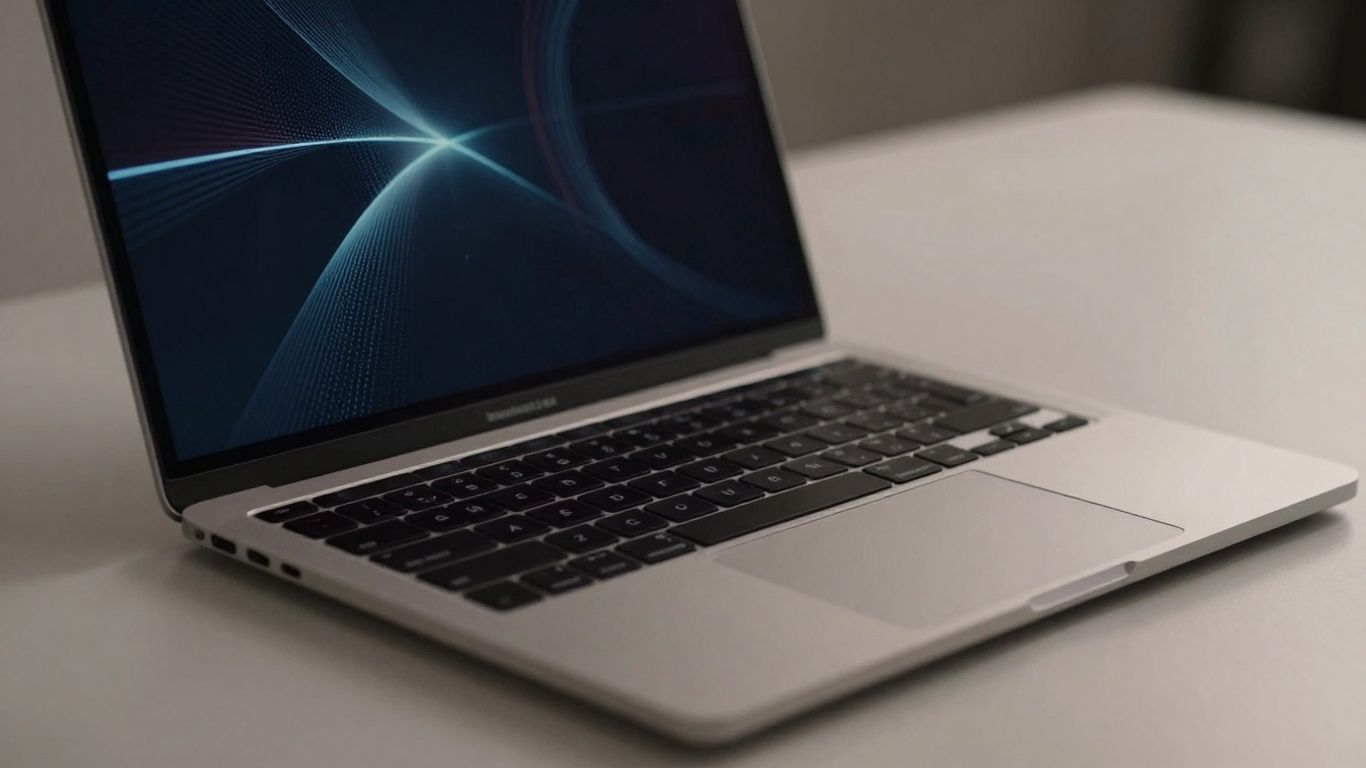
Look, we all use these devices every day, right? Laptops, phones, tablets – they're practically glued to our hands. But with that convenience comes a big responsibility. ISO 27001 knows this, and Annex A 8.1 really hammers home that it's not just about the tech; it's about us, the people using the tech. Your actions, or lack thereof, can make or break the security of company data. It's like leaving your front door unlocked; you wouldn't do that at home, so why do it with your work device?
User Caution in Public Spaces
Think about it: you're at a coffee shop, working on something important. Are you really paying attention to who's walking by? That's where the risk of 'shoulder surfing' comes in – someone just casually glancing at your screen. It sounds simple, but it happens. So, what can you do?
- Be mindful of your surroundings. If it feels too public or busy, maybe save the sensitive stuff for later or find a more private spot.
- Use privacy screens. These little stickers make it so only the person directly in front can see the screen clearly. It’s a small investment for big peace of mind.
- Lock your screen! Seriously, just hitting the Windows key + L (or Ctrl + Cmd + Q on Mac) takes two seconds. Don't get up and leave your device unattended, even for a minute. That's an open invitation for trouble.
Leaving a device unlocked and unattended in a public space is one of the easiest ways to compromise sensitive information. It's a lapse that can have significant consequences for the organization.
Reporting Lost or Stolen Devices
Okay, this is the nightmare scenario. You realize your laptop is gone, or your phone isn't in your pocket. Panicking is natural, but what you do next is critical. The faster you report it, the faster the IT or security team can act. They can remotely lock the device, wipe the data, or at least disable access to company systems. The longer you wait, the more time a thief has to access or misuse your information.
Here’s the drill:
- Know the reporting procedure. Your company should have a clear process. Is it an email, a phone call, a specific portal? Make sure you know it before anything happens.
- Report immediately. Don't wait to see if it turns up. Time is of the essence.
- Provide all necessary details. What device is it? When and where did you last see it? What information was on it?
Adherence to Software Installation Rules
This one trips people up. You need a new app for work, or maybe just something for convenience. But downloading and installing software willy-nilly is a huge security risk. That free game or utility might look harmless, but it could be packed with malware, spyware, or other nasty stuff that compromises your device and the entire network. Always stick to approved software sources and get IT's okay before installing anything new. If you're unsure, ask. It's way better than dealing with the fallout of a security breach caused by a dodgy download.
Auditing and Compliance for ISO 27001 Annex A 8.1
So, you've put all these great security measures in place for your user endpoint devices, which is fantastic. But how do you prove it all works, especially when an auditor comes knocking? That's where auditing and compliance come in for Annex A 8.1.
Auditor Expectations for Endpoint Security
Auditors aren't just looking for a policy document; they want to see that the policy is actually being followed and that your controls are effective. They'll be checking to make sure you have a clear understanding of what devices are connecting to your network and what data they're handling. They want to see evidence that you're actively managing and protecting these endpoints. This means they'll be digging into your processes and looking for proof that your security measures are in place and working as intended.
Maintaining an Asset Register
One of the first things an auditor will ask for is your asset register. This isn't just a list of computers; it needs to include all user endpoint devices that access your organisation's information. This includes company-issued laptops, mobile phones, and even personal devices used for work (BYOD). The register should detail:
- Device identification (serial number, asset tag)
- Assigned user
- Device type and model
- Operating system
- Date of acquisition
- Security status (e.g., encryption enabled, antivirus updated)
It's important that this register is kept up-to-date. An outdated register suggests a lack of control, which is a red flag for auditors.
Evidence of Control Checks and Failures
Simply stating that you have controls like antivirus software or encryption isn't enough. Auditors need to see proof that these controls are regularly checked and that any issues found are addressed. This means keeping records of:
- Regular vulnerability scans and penetration tests.
- Antivirus definition update logs.
- Encryption status reports.
- Patch management records.
- Results of any security audits or reviews.
What happens when a check fails? Auditors want to see your process for handling these failures. This includes documentation of the issue, the steps taken to remediate it, and confirmation that the control is now functioning correctly. For example, if a device is found to be missing critical security updates, you need to show how quickly it was updated and how you verified the update was successful.
Auditors are essentially looking for a cycle of continuous improvement. They want to see that you identify risks, implement controls, test those controls, and then act on any findings. This demonstrates a mature approach to endpoint security management.
Think of it like this: if you say you're checking the tire pressure on your car regularly, an auditor would want to see your logbook showing the dates you checked, the pressures you recorded, and what you did if a tire was low. It's the same principle for endpoint security.
Evolution of Endpoint Security Controls
When we look back at how endpoint security has been handled, especially in the context of standards like ISO 27001, it's clear things have changed quite a bit. The 2022 version of the standard really builds on what came before, making things more specific and, frankly, more realistic for today's work environments.
Comparison with ISO 27001:2013 Controls
The older 2013 version of ISO 27001 had controls that touched on endpoint security, but they were often more general. Think of controls related to asset management and access control. They were there, but they didn't always spell out the unique challenges that come with the sheer variety and mobility of devices we use now. It was more about having a policy and some basic technical measures in place. The focus was less on the granular details of device configuration and more on the overarching principles of information protection. Back then, a lot of devices were company-issued and stayed within the office network, which simplified things a bit.
Expanded Scope in the 2022 Standard
The 2022 update, however, really acknowledges the modern workplace. It's not just about company-owned laptops anymore. We're talking about smartphones, tablets, personal devices used for work (hello, BYOD!), and devices that are constantly connecting to different networks, both trusted and untrusted. Annex A 8.1 in the 2022 standard is designed to be more adaptable. It recognizes that an endpoint device is any device that can access organizational information, regardless of who owns it or where it's located. This broader view means organizations have to think more carefully about how they secure everything from a corporate server to an employee's personal phone used for email. It’s about covering all the bases, really.
Increased Emphasis on User Accountability
One of the most significant shifts is the increased focus on user accountability. The 2022 standard places more weight on the fact that users are a key part of the security chain. It’s not enough to just deploy technical controls; users need to understand their role and responsibilities. This means more emphasis on training, awareness programs, and clear policies that users can actually understand and follow. The standard expects organizations to actively educate their staff on safe device usage, reporting procedures, and the consequences of non-compliance. This human element is seen as just as important as the technology itself. It’s about building a security-conscious culture, not just implementing rules. For instance, the expectation for users to report lost or stolen devices promptly is a prime example of this shift towards user responsibility. You can find more details on how to implement these kinds of controls in the ISO 27001:2022 Annex A 8.1 guidance.
Wrapping Up Endpoint Security
So, we've talked a lot about keeping those devices that connect to your company's stuff safe. It’s not just about laptops anymore; think phones, tablets, all of it. Making sure you know what devices are out there, who's using them, and that they're locked down properly is a big deal. It might seem like a lot, but getting a handle on this stuff, like setting clear rules and making sure people follow them, really helps keep your company's information out of the wrong hands. It’s an ongoing thing, for sure, but totally worth the effort.
{{snapshot}}
In Hicomply's experience
In Hicomply's experience, iso 27001:2022 annex a 8.1 user endpoint devices explained works best when it is treated as part of a continuous, whole-business ISMS rather than a one-off audit task. Keep ownership clear, collect evidence as work happens, and use automation instead of spreadsheets so the same control evidence can support ISO 27001 and related frameworks. See how that works in a platform tour.
{{/snapshot}}

